
How to Automate Content Re purposing with n8n: The Ultimate YouTube to Blog Workflow
Unlock the power of n8n workflow automation to transform YouTube videos into high-ranking blog posts and social media assets. Learn how to build an enterprise-grade engine that saves hours of manual work and slashes content production costs using AI.
 Amplivus·May 7, 2026·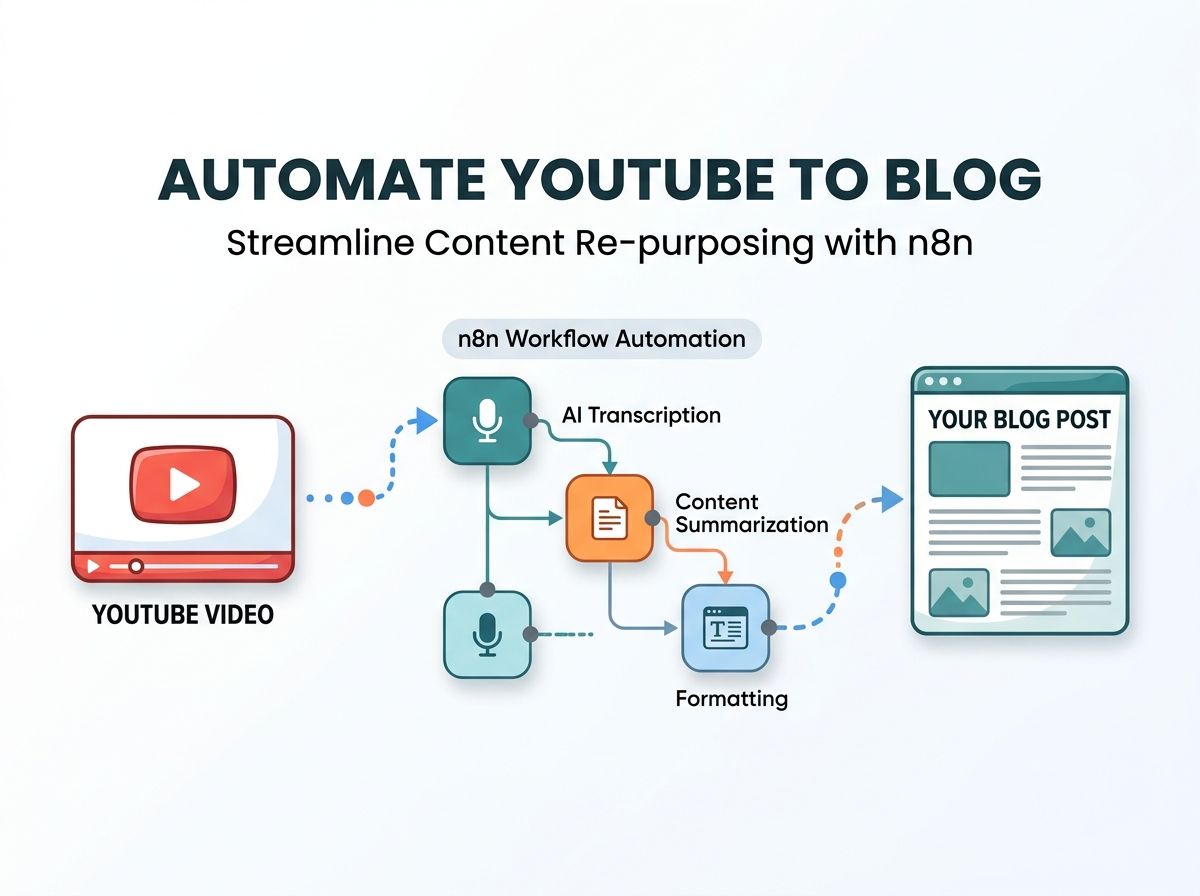
Introduction
In today’s digital landscape, video is king, but the manual effort required to analyze and repurpose it is a major operational drain. Content teams often find themselves trapped in a cycle of transcribing dialogue and drafting derivative posts, which limits scalability and drives up costs.
By implementing advanced n8n workflow automation, you can break this bottleneck. This guide details how to build a professional-grade n8n YouTube transcript engine. This system monitors channels, extracts text using native captions or high-precision tools like AssemblyAI, and utilizes LLMs to generate a full suite of content assets automatically.
Using a YouTube automation workflow n8n setup allows you to turn one video into a massive content ecosystem. Organizations leveraging this enterprise workflow automation typically save over 4 hours per video while increasing their output by 400%.
The Business Value of Automation
Implementing this pipeline offers immediate advantages for digital marketing teams:
- Multi-Channel Content: Turn a 15-minute video into a long-form blog, LinkedIn posts, and X threads.
- SEO Optimization: Automatically generate metadata, titles, and keyword-rich descriptions.
- Competitive Intelligence: Monitor rival channels and summarize their strategies instantly.
- Cost Reduction: Cut outsourced copywriting expenses by more than 75%.
Technical Requirements
| Requirement | Specification |
|---|---|
| Difficulty | Advanced |
| Build Time | ~2.5 Hours |
| n8n Version | Pro or Self-Hosted (v1.0+) |
| Key APIs | YouTube Data v3, OpenAI, Airtable, AssemblyAI |
Step-by-Step Build Guide
Step 1: Setting Up the YouTube Polling Trigger
To detect new uploads without manual checks, we use a Schedule Trigger combined with the Google YouTube node.
- Add a Schedule Trigger set to run every 6 hours.
- Connect the Google YouTube node and authenticate via OAuth2.
- Configure the search to target your specific Channel ID and sort by 'Date'.
- Use a dynamic expression in the "Published After" field:
{{$now.minus(6, 'hours').toISO()}}. This ensures no duplicate processing.
Step 2: Capturing the Video Transcript
The core of video transcription n8n logic is fetching the spoken words. We recommend using a RapidAPI YouTube Transcript endpoint for speed.
- Add an HTTP Request node titled 'Fetch Transcript'.
- Map the Video ID from the previous step into the API URL.
- Pro Tip: Enable 'Continue on Fail' so that if native captions are missing, you can route the workflow to AssemblyAI for a fallback audio-to-text conversion.
Step 3: AI Summarization & Content Generation
Once you have the raw text, it’s time for AI agent development. Using the OpenAI node, pass the transcript with a specific System Prompt. To keep data structured, instruct the AI to return a JSON object containing an executive summary, timestamped show notes, and key quotes.
Step 4: SEO Blog Post Creation
In a parallel branch, use a second OpenAI node (ideally GPT-4o) to write the final article.
Prompt Strategy: Instruct the AI to act as a Senior SEO Writer. Require it to use Markdown (H2, H3 tags), maintain a professional tone, and extract five primary keywords.
Step 5: Centralizing Data in Airtable
The final stage of custom n8n development is storage. Use the Airtable node to create a new record. Map the video title, URL, raw transcript, AI summary, and the Markdown blog draft into their respective columns. This creates a "Content Command Center" where your team can review and publish drafts.
Troubleshooting Common Issues
| Problem | Fix |
|---|---|
| 403 Quota Exceeded | YouTube API has a 10k point limit. Reduce polling frequency or use an RSS node. |
| Context Window Error | For long videos, use GPT-4o-128k or a Code node to chunk the transcript. |
| JSON Parsing Failure | Use the 'Response Format: JSON' setting in OpenAI to avoid Markdown wrappers. |
Summary
Building an n8n YouTube transcript pipeline is a game-changer for digital marketing. It balances high-volume content production with technical efficiency. Whether you are doing this in-house or working with an n8n specialist, focusing on these automated workflows ensures your brand remains visible across all platforms with minimal manual effort.
Key Takeaways at a Glance
- Automation Velocity: Reduce manual content creation time by 4.5 hours per video.
- Hybrid Transcription: Use RapidAPI for speed with AssemblyAI as a reliable fallback.
- Structured AI Data: Enforce JSON output in OpenAI for seamless database mapping.
- Scalable Storage: Use Airtable or Google Drive to manage large transcript payloads.
- SEO-Ready: Programmatically generate Markdown-formatted blogs with keyword extraction.
</ul