
Building an Intelligent 3PL Order Processing Engine: The Ultimate Guide to n8n Workflow Automation
Discover how to revolutionize your logistics with an Enterprise grade 3PL Order Processing Engine built on n8n. Learn to leverage AI agent development and advanced API orchestration to process 10,000+ daily orders with zero manual entry and total scalability.
 Amplivus·May 7, 2026·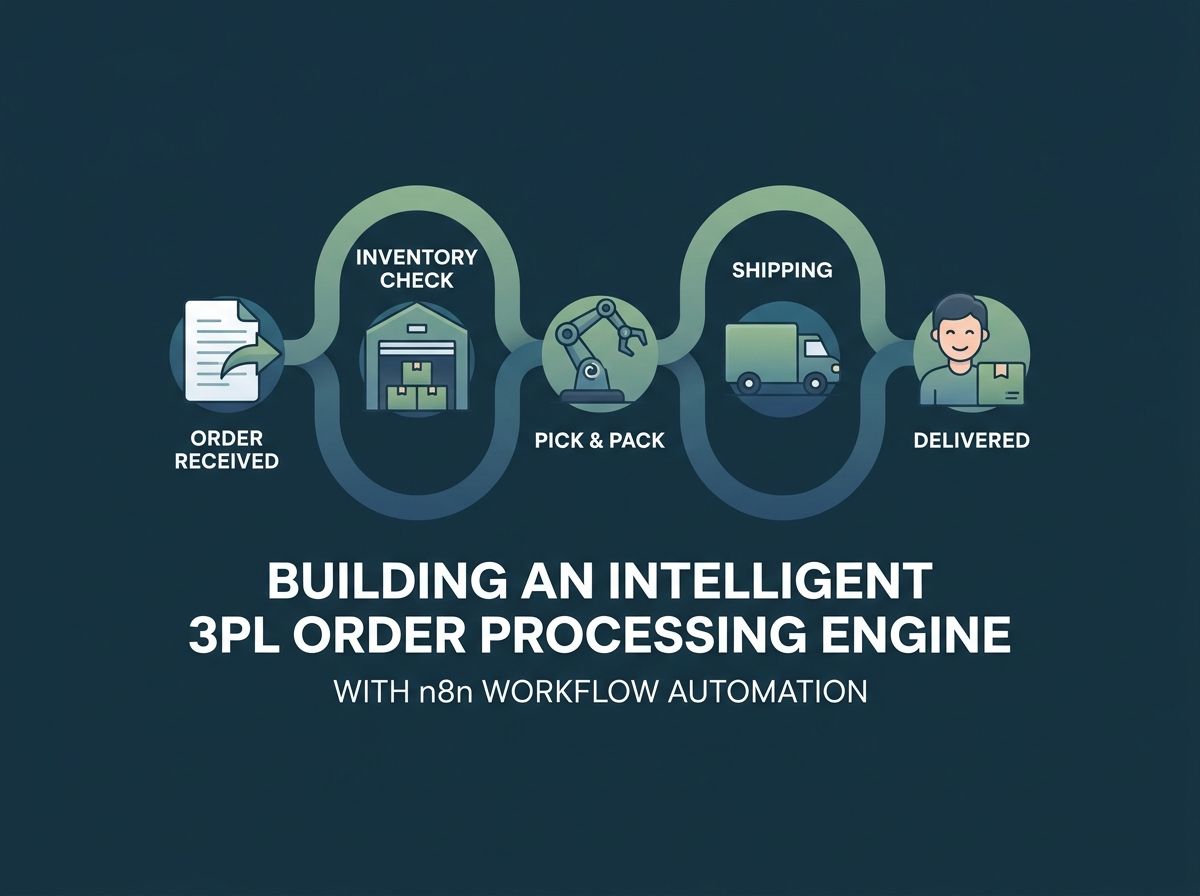
Introduction
Third Party Logistics (3PL) providers are currently hitting aggressive scalability walls. In traditional setups, every new client typically requires hiring additional coordinators, customer service representatives, and warehouse staff. When labor costs grow linearly with order volume, profit margins are destroyed, and manual processes inevitably collapse during peak seasons. This is exactly where partnering with an expert n8n automation agency becomes a critical competitive advantage for your business.
This implementation guide demonstrates how to build an Enterprise grade Intelligent 3PL Order Processing Engine in n8n. By leveraging advanced API orchestration and AI agent development, this robust n8n workflow automation severs the link between order volume and headcount, allowing your logistics operations to scale profitably.
Measurable Business Outcomes
By moving to an enterprise workflow automation model, logistics providers can achieve the following benchmarks:
- Extreme Volume: Process 10,000+ orders per day with zero manual data entry.
- Rapid Fulfillment: Generate shipping labels in batches (1,000+ labels in under 5 minutes).
- Customer Satisfaction: Reduce routine "where is my order" customer support tickets by 75%.
- Self-Healing Logic: Resolve 60% of common shipping exceptions without human intervention.
- Operational Efficiency: Consolidate orchestration so 1 coordinator handles the capacity of 5.
Technical Specifications and Requirements
Building a professional n8n for logistics system requires a specific technical foundation.
| Feature | Requirement |
|---|---|
| Difficulty Level | Advanced / Enterprise |
| Time to Complete | 4 to 6 Hours |
| N8N Tier | Pro or Enterprise (for sub-workflows) |
| Key Integrations | OpenAI, ShipEngine, SendGrid, Slack |
Workflow Architecture Overview
This intelligent workflow architecture operates as the central nervous system for your 3PL operations, routing disparate data formats through a unified, automated pipeline.
The flow is divided into six critical stages:
- Multi-Channel Intake: Universal Webhook node accepts payloads from Shopify, WooCommerce, or custom ERPs.
- AI-Powered Extraction: Advanced AI Agents parse unstructured data like PDFs or email bodies into strict JSON.
- Data Validation: Code nodes sanitize addresses and validate SKUs against your Warehouse Management System (WMS).
- Carrier Orchestration: Dynamic rate shopping to find the cheapest carrier that meets the delivery SLA.
- Label Generation: Batch processing of physical shipping assets.
- Exception Routing: Automated Slack escalation for any order that fails API validation.
Step by Step Implementation
Step 1: Universal Order Intake
The first hurdle in custom n8n development is accepting data from multiple sources without custom coding for each one. We utilize a Webhook node configured for POST requests. By using Header Authentication, you ensure that only authorized clients can inject orders into your engine.
Pro Tip: For high volume 3PLs, use a queue system like RabbitMQ to buffer incoming requests. This prevents your n8n instance from timing out during massive spikes like Black Friday.
Step 2: AI Document Extraction
Manually reading PDFs or emails is the biggest time sink in logistics. We use the OpenAI node with "Structured Output" to transform a messy email body into a clean JSON object. By using the gpt-4o model, you can reliably extract names, addresses, and quantities even if the input is poorly formatted.
Step 3: Dynamic Carrier Selection
This is where profitability is won or lost. Instead of a human picking a carrier, an HTTP Request node queries the ShipEngine or EasyPost API. A Code node then evaluates the rates based on your specific margin thresholds and the customer's requested delivery window. If a rate is found that fits the criteria, the workflow proceeds; otherwise, it triggers a "High Cost Exception" alert.
Step 4: Automated Label Generation and Dispatch
Once the carrier is selected, the system purchases the label instantly. We use another HTTP Request node to POST the selected_rate_id to the shipping provider. The resulting PDF URL and tracking number are saved to your database and passed to the next stage.
Step 5: Proactive Customer Communication
To eliminate "Where is my order" calls, we integrate a SendGrid node. The moment a label is generated, a branded HTML email is dispatched to the customer containing their tracking link and estimated delivery date. Providing this immediate visibility reduces support tickets by up to 75%.
Step 6: Smart Exception Resolution
Every professional n8n specialist knows that things will occasionally go wrong. Maybe an address is unverified or an item is out of stock. Instead of the workflow just stopping, we use a Switch node to route these "Exceptions" to a Slack channel called #logistics-exceptions. This allows your coordinators to fix issues in real time without digging through logs.
Testing and Quality Assurance
Testing is a core phase in any custom automation agency deployment. You should run three specific scenarios:
- The Perfect Order: Validates that the full pipeline from intake to email works under ideal conditions.
- The Oversized Freight: Ensures that orders exceeding weight limits (e.g., 150 lbs) are correctly flagged for manual freight quotes rather than failing silently.
- The Rate Limit Spike: Simulate 50 simultaneous orders to verify that your n8n retry logic handles API throttling from carrier vendors.
Production Deployment Checklist
Before moving your AI workflow automation to a live environment, verify the following:
- Credential Security: Ensure all API keys are in n8n's encrypted vault, not hardcoded in nodes.
- Error Notifications: Set up a global error trigger that alerts your DevOps team if the n8n instance itself has issues.
- Data Pruning: Configure n8n to delete successful execution data after 7 days to prevent database bloat.
- Rate Limiting: Use "Split in Batches" nodes to ensure you stay within the tiers of your various API providers.
Optimization and Advanced Extensions
Performance & Cost Optimization
When processing over 10,000 orders, every cent and second counts. To optimize costs, implement a routing condition: if an incoming order is already structured (like a direct Shopify webhook), bypass the OpenAI node. This saves significantly on LLM API costs. For performance, use n8n setup services to configure your instance on high speed SSD storage with at least 4GB of dedicated RAM.
Real-time Analytics (The 5th Pillar)
Don't just process orders; learn from them. Branch your final workflow step to push data into a warehouse like Google BigQuery or Snowflake. You can then build dashboards to see which carriers are consistently late or which clients have the lowest margins.
Automated Carrier Auditing
Utilize n8n integration services to run a nightly audit. A scheduled trigger can check the delivery status of every package sent. If a carrier missed their guaranteed delivery window, the system can automatically file a refund claim, turning your automation into a direct revenue generator.
Troubleshooting Common Issues
- Issue: HTTP 429 Errors. Your workflow is moving too fast for the carrier API. Fix this by enabling "Retry on Fail" with exponential backoff in the node settings.
- Issue: AI Hallucinations. The AI is adding extra text to the JSON. Fix this by setting the "Response Format" explicitly to "JSON Object" in the OpenAI node parameters.
- Issue: Payload Rejection. A client sent a 20MB attachment. Fix this by having clients send a URL to the file instead of encoding the file directly in the webhook payload.
Conclusion and Next Steps
Building a video transcription n8n or order processing engine isn't just about technical skill; it is about architectural vision. By following this guide, you have turned a labor intensive process into a high speed digital asset.
If you find that your logistics logic is becoming too complex for in house teams to manage, or if you require deep EDI integration, the n8n consultant team at N8N Labs is ready to assist. As a premier n8n automation agency, we specialize in high volume, mission critical deployments that allow you to scale your 3PL without the headcount headaches. Reach out today to start your journey toward zero manual data entry.
Key Takeaways at a Glance
- AI Document Extraction eliminates 100% of manual order data entry
- Dynamic Carrier Selection ensures maximum profit margins on every shipment
- Automated Slack Escalations turn errors into actionable tasks for coordinators
- Proactive Tracking Emails reduce inbound customer support volume by 75%
- Queue Management prevents system crashes during peak shopping seasons
- Centralized Analytics allow for data driven carrier negotiations and audits